
Meet your top bar
The top bar holds your tools. Here is what each icon does and how to move them around.
Steps
Find the top bar
The top bar sits at the top of your home screen. Each icon opens a tool. Hover an icon to see its name.
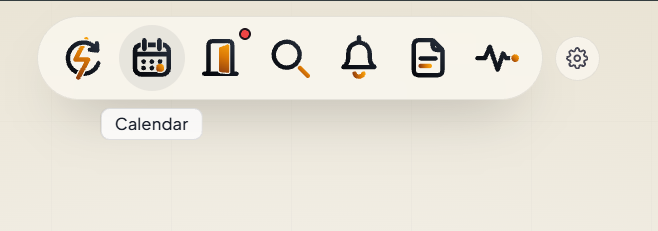
Your work tools
Automations (the lightning loop) runs your automations. Calendar shows your week and your appointments. Portals (the door) opens your borrower portals.
Stay on top of things
Search finds any contact fast. The bell shows your alerts. Activity Pulse shows what you did today, this week or this month, even the sends your automations made.
Track your to-dos
Scratchpad (the page) is your task board. Use it for quick notes and things to do.
Make it yours
Click the gear. Drag icons to move them, or click the minus to hide one. Click Done when you're finished, or Reset to default to undo it all.
Links
Tell us which step you're on.
Email us what you see on your screen, and we'll get you moving again.